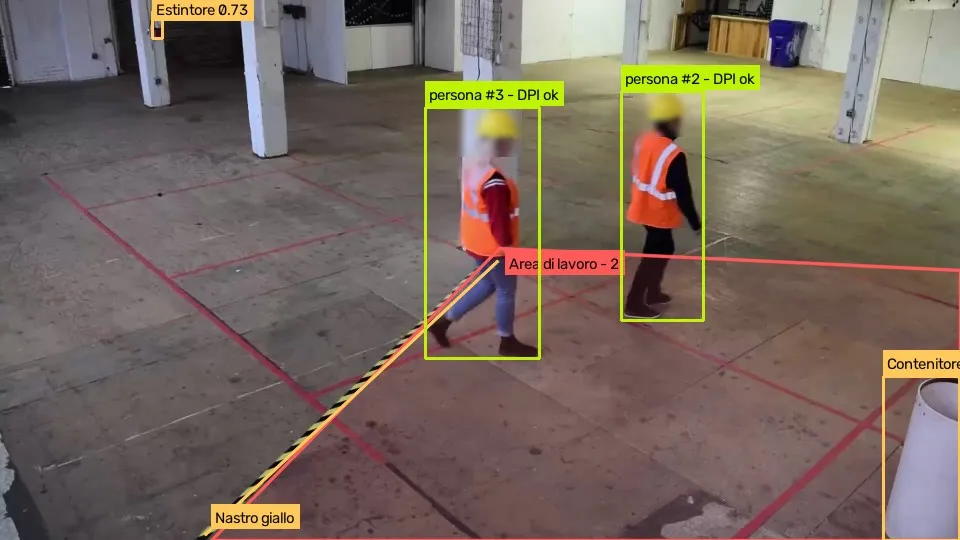
Real frame analysed by AREA · Sample video: Intel, CC BY 4.0 · Junction: Caltrans public camera, California, used for demonstration
In short
AREA is object detection software: it analyses live or recorded video streams and automatically recognises objects, people and potential hazards. It works with the IP cameras you already have and flags the events that matter in real time, with a photo and a clip, so you can decide quickly with the facts in hand.
Optimise your business with computer vision
AREA is software with many applications across different business settings, using the cameras you already have.
Discover computer visionArtificial intelligence for object recognition
AREA uses artificial intelligence algorithms to recognise and analyse visual content. Here is what happens to every frame.
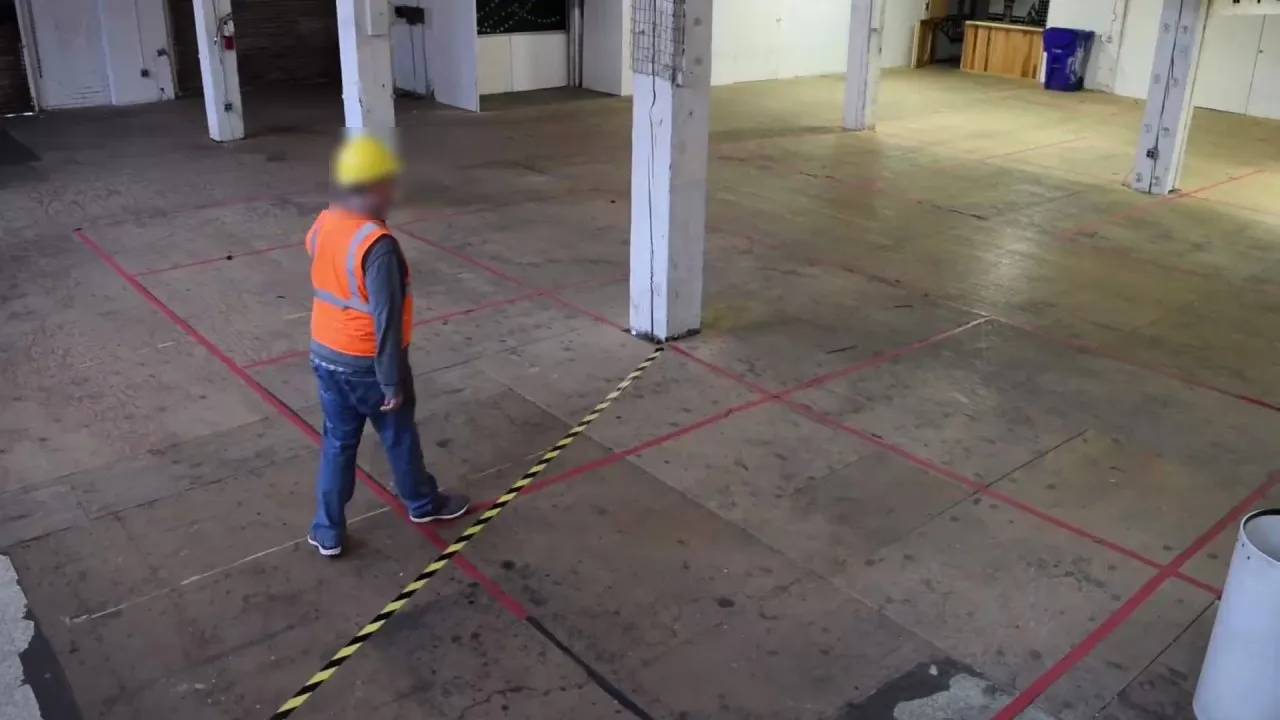 01 · Acquisition
Video comes from IP cameras, over RTSP or HLS, or from a recorded file.
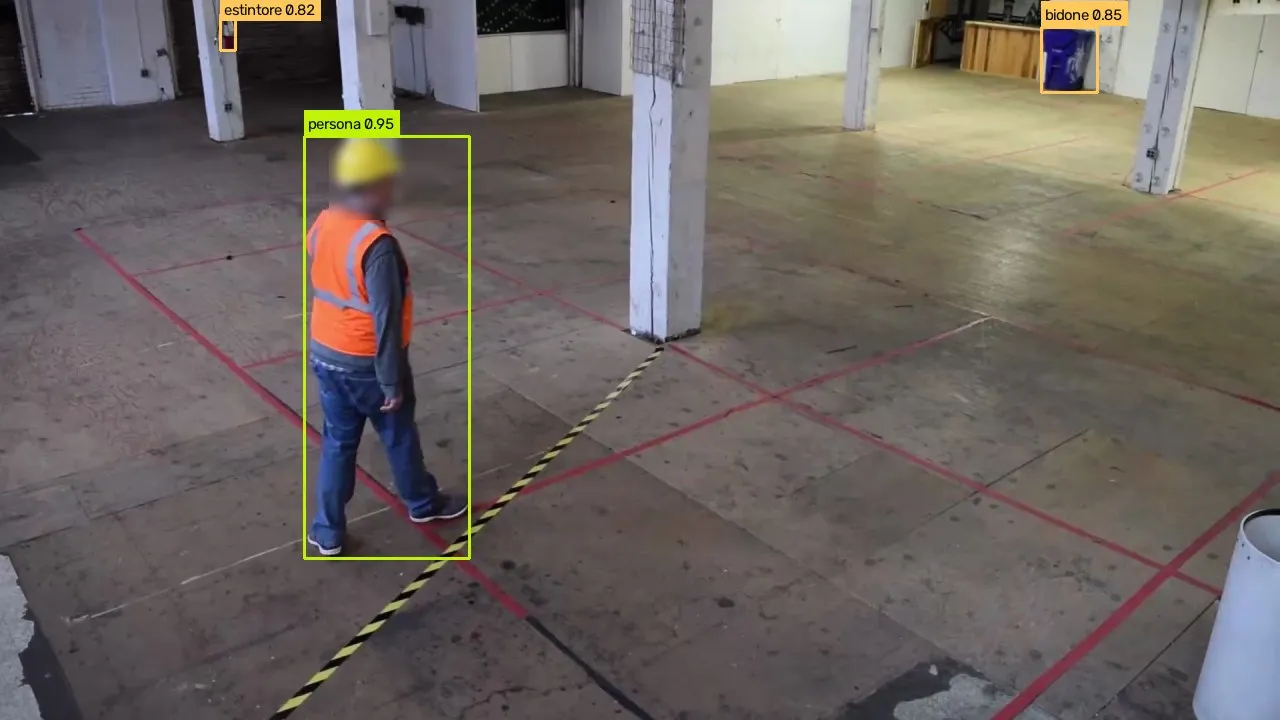 02 · Recognition
A neural network recognises people, vehicles and objects and follows them from one frame to the next.
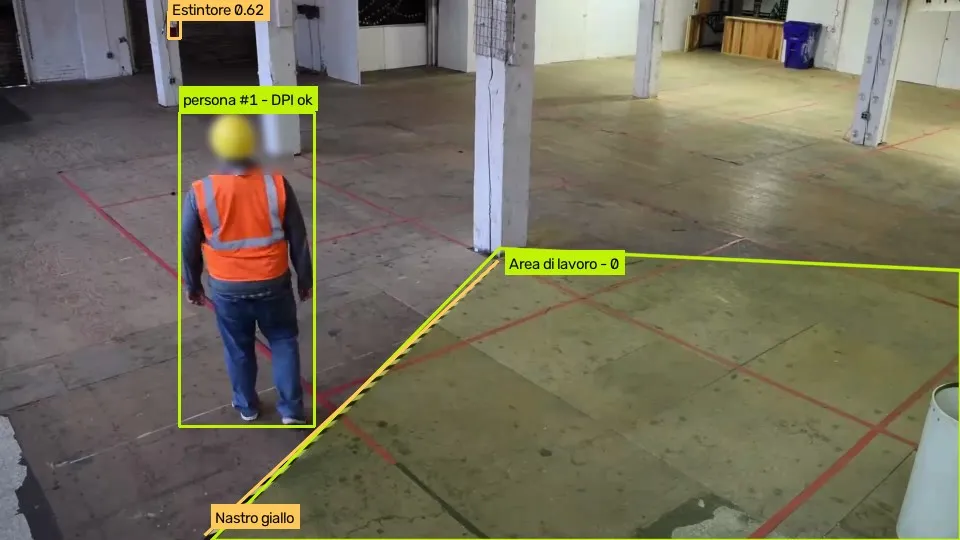 03 · Localisation
AREA draws a box around each object and checks whether it is in a zone or has crossed a line.
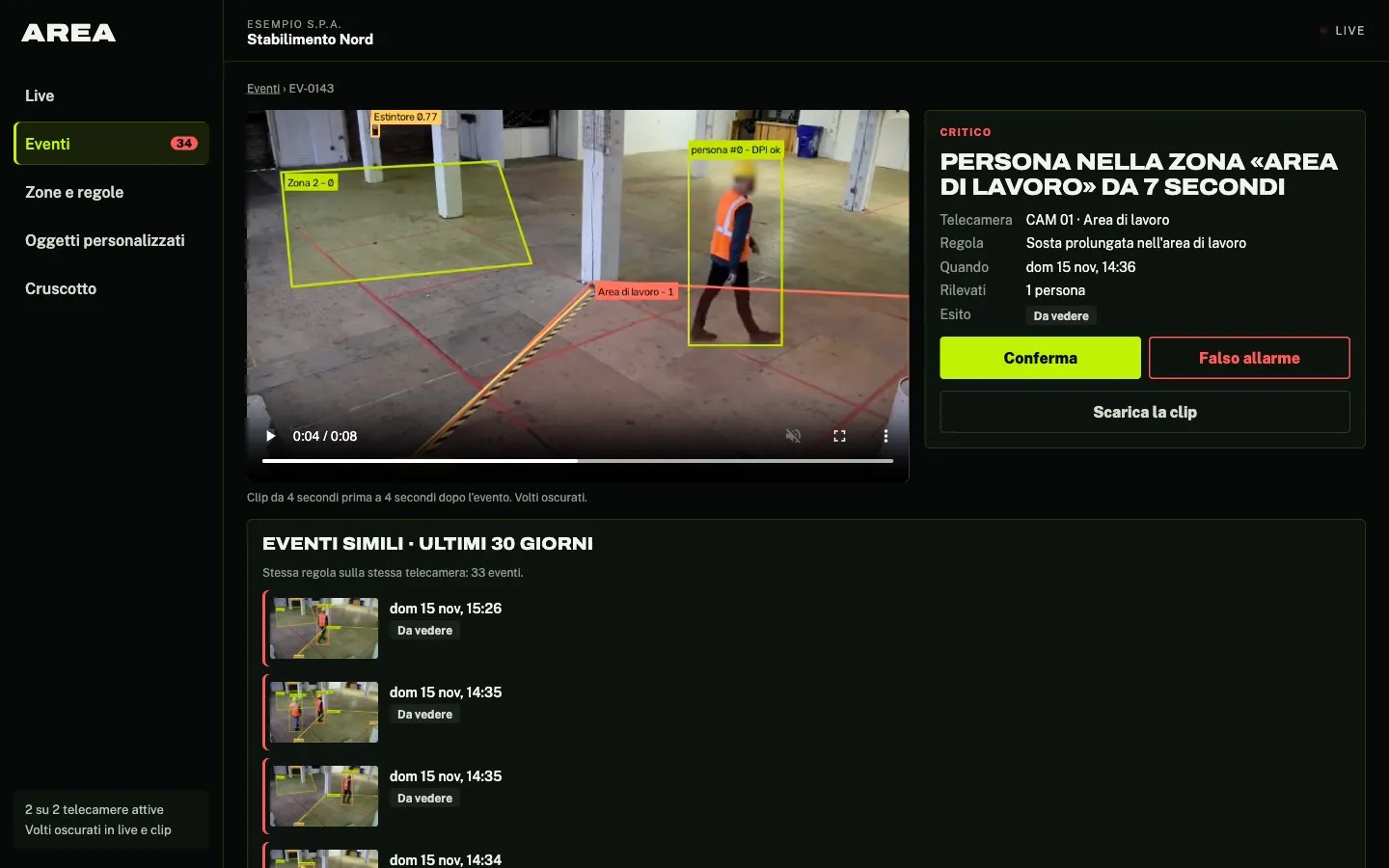 04 · Alert
When a rule is triggered, an event appears in the panel straight away, with a photo and an 8-second clip.
Why computer vision software?
Tuned to your cameras
Thresholds are set on your own views, and every false alarm you mark shows how reliable a rule is.
Real-time results
Immediate analysis to respond promptly to critical situations.
Ease of use
An intuitive, simple interface that needs no advanced technical skills.
Cameras you already have
It uses the RTSP and HLS streams of the IP cameras already installed.
Versatility
Applicable in many sectors such as security, retail, industrial management and much more.
Teach AREA what to look for
For objects outside the 80 standard types, just describe them in words: AREA looks for them in your cameras with no training, and the threshold is set on your own view.
Discover AREA Custom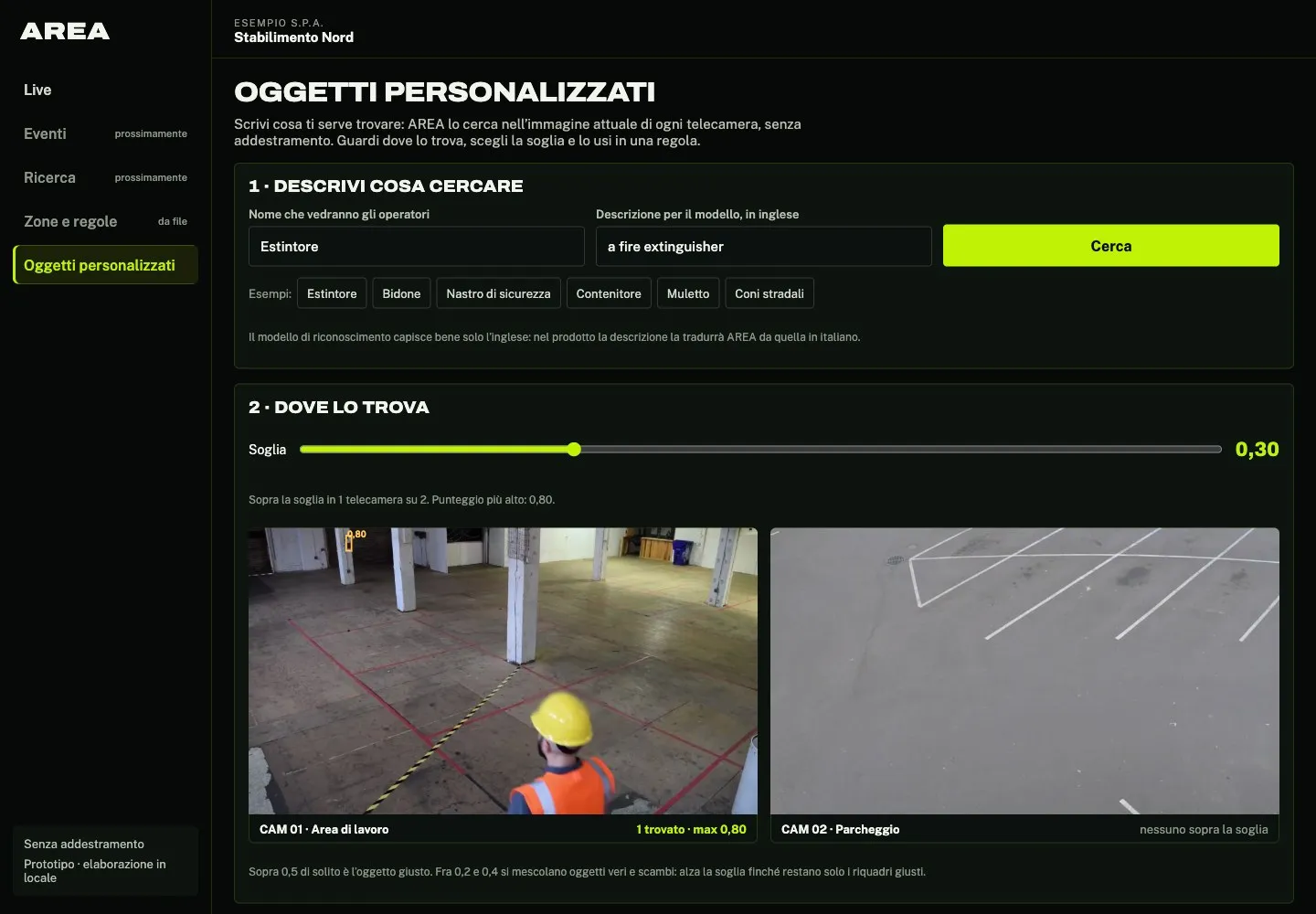
Frequently asked questions
AREA’s answers to your questions.
What is AREA?
AREA is object detection software: it recognises people, vehicles, animals and objects in the video from your cameras, live or recorded, and alerts you when they enter a zone, cross a line or stay too long. Each alert is an event with a photo and an 8-second clip.
How does AREA work?
AREA analyses the video from your cameras, recognises and follows people, vehicles and objects, and applies the rules you set on zones and lines. When a rule is triggered it creates an event with a photo and a clip and shows it in the panel straight away.
What are the main benefits of using AREA?
You see the events that matter straight away instead of reviewing hours of footage. Every event has a photo, an 8-second clip and the rule that triggered it, and whoever checks it marks it as confirmed or a false alarm.
In which sectors can AREA be used?
Industry, logistics, security, transport, cities and agriculture: wherever you need to know when people, vehicles or objects are where they should not be, or missing from where they should be.
Do I need specific hardware to use AREA?
Not for the cameras: AREA uses the IP cameras you already have, streaming over RTSP or HLS. The analysis runs on a GPU server, which we set up according to how many cameras you have.
How do you ensure privacy and data security?
AREA blurs faces in the live view and in event clips, and keeps only event photos and clips, not continuous recordings. The analysis can run on a server at your company, so the video never leaves it, or on a Neurally server in Italy: your choice.
Can AREA be integrated with existing security systems?
AREA uses the streams of the cameras you already have. A direct link to alarms and access control is assessed project by project.
How accurate is AREA?
It depends on the view, the light and how far away objects are. That is why, before starting, we try AREA on your cameras and set the rule thresholds with you; every false alarm you mark then shows how reliable each rule is.
Do you offer technical support and training for the software?
Yes. We set up the server and the first rules, try AREA on your cameras and tune the thresholds with you, then show you how to use the dashboard. For support, email info@neurally.it or call +39 0532 1717097.
How can I start using AREA?
Contact us: we will run AREA on a few minutes of video from your cameras and show you the events it finds.
What do you want AREA to see for you?
Couldn’t find the answer you were looking for? Contact us and we’ll get back to you as soon as possible!
Or email us at info@neurally.it or call us on +39 0532 1717097.